Best IPTV Provider: How to Judge the Business Before You Pay
The best IPTV provider is a business you can check before you pay: support that answers, a trial, a written refund policy, prices in pounds and clear renewal rules. This guide shows what to test, what to read, what to ask and which red flags to walk away from.
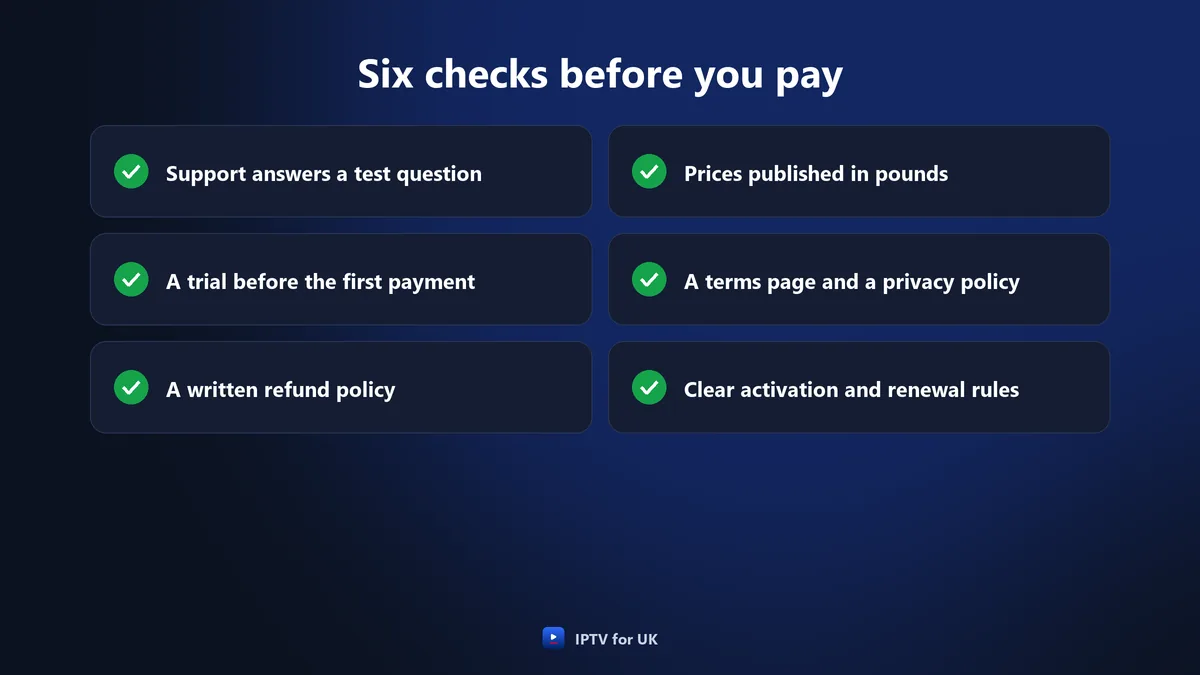
The best IPTV provider is the one whose business you can check before you pay: support that answers a real question clearly, a trial, a written refund policy, a price list in pounds, a terms page and a privacy policy, and plain rules for activation and renewal. Channel counts and picture claims come second to whether the people behind them can be reached and held to what they publish.
This guide is about the seller, not the screen: what to test, read and ask before you pay, the warning signs, and how IPTV for UK answers each check, using only the terms published on this site.
If you are still working out which features your household needs, the guide to the best IPTV service for each household covers that. Here the question is narrower: is this business worth a first payment?
Support in English on WhatsApp, 24 hours a day.
In pounds, one payment, no contract, no set-up fee.
What makes the best IPTV provider?
The best IPTV provider is a business that tells you its rules before you pay and then keeps to them. You cannot see a provider’s servers or meet its staff, so you judge it by what it publishes and by how it behaves when you contact it.
Every check in this guide falls into one of three groups:
- What you can test: support, the app and the picture, before a trial or during one.
- What you can read: the price list, the refund policy, the terms of service and the privacy policy.
- What you can ask: payment, activation, renewal and what happens when something goes wrong.
A provider that is weak on one of the three is asking you to take that part on trust. None of this needs technical knowledge, only a phone, a few minutes of reading and a short list of questions.
Why the business counts before the channel list
A long channel list is easy to publish and hard to verify before you pay. A refund policy, a reply on WhatsApp or the confirmation time of a payment can be checked the same day. If those are in order, the claims about channels and picture are worth testing in a trial.
That is why the search for the best IPTV provider starts with the business. A good catalogue from a seller who cannot be reached, or who has no written refund terms, is a catalogue you may lose access to with nobody to ask.
Test support before you pay
Support is the one part of a provider you can try for nothing, before any trial or payment. Send a real question and watch three things: how long the reply takes, whether it answers what you asked, and whether it gives you something you can act on.
Pick a question whose answer matters to you, so that a vague reply is easy to spot. Questions that work well as a test:
- “Which app should I use on my Samsung TV, and how do I set it up?”
- “If the picture keeps stopping in my first week, what happens?”
- “Does the subscription renew by itself at the end?”
- “How long after paying by bank transfer will I get my login details?”
| What you look at | A good sign | A warning sign |
|---|---|---|
| Reply time | An answer at the hour you wrote | Silence until the next day |
| Clarity | A direct answer to your question | A copied message or a sales pitch |
| Detail | Steps, figures or a page to read | “Don’t worry, it all works” |
| Language | Plain English you can follow | Replies you have to decode |
| Tone | Questions about your set-up | Pressure to pay before it answers |
Send a second message in the evening, the time you are most likely to watch and to need help. A clear reply at nine in the evening and another at nine in the morning tell you more than any promise on a website. The best IPTV provider for you is one whose support you have already seen at work.
Support at IPTV for UK
IPTV for UK support is in English on WhatsApp, 24 hours a day, every day, and by email at support@iptvforuk.com. Send a question at any hour before you buy and judge the reply by the table above. You can also reach us from the contact page.
No payment needed to ask.
A trial before the first payment
A provider that stands behind its service lets you see it before you pay for a full plan. A trial turns claims into something you can check on your own television, on your own broadband, at the times you actually watch.
Read the trial terms for four points:
- Full access, not a cut-down list of channels.
- A stated length: an hour or a day, written down before you start.
- A stated cost: free, or a small fee with a clear use.
- No surprise at the end: the trial stops, and nothing starts charging by itself.
A seller with no trial of any kind is asking you to pay before you have seen anything. That does not prove the service is poor, but it removes the easiest check you have, and the best IPTV provider gives you no reason to skip it.
The two trials at IPTV for UK
IPTV for UK offers a free 1-hour trial with full access, one per customer and with no payment. There is also a 24-hour trial for £2.95 with full access, and the £2.95 is taken off your first subscription. Both are described on the free trial page.
Use the free hour to check that the app installs and that your channels are there. Use the 24 hours to see the picture in the evening and to send support a question while you watch.
£2.95, taken off your first subscription.
A written refund policy
A refund policy is only worth something when it is written down where you can read it before you pay. A promise in a chat message is hard to point to later; a page on the provider’s own site is not.
Read any refund policy for five things:
- How long you have to ask, and from when it is counted.
- What it covers: a first subscription, renewals, trials.
- What it excludes, written out rather than left to interpretation.
- What you must do first, such as contacting support.
- How long a request takes to be handled.
A policy that answers all five is one you can hold a provider to. A policy that says refunds are “at our discretion”, or no policy at all, leaves the decision entirely with the seller. When you compare candidates for the best IPTV provider, put the refund pages side by side before the channel lists.
The refund policy at IPTV for UK
| Point | IPTV for UK |
|---|---|
| How long | 7 days |
| What it covers | Every new (first) subscription |
| First step | Contact support so a technician can try to fix the problem |
| Not covered | Renewals and the 24-hour trial |
| Also not covered | Requests after 7 days; problems caused by your own connection or by a third-party app |
| Handling time | Within 24 to 48 business hours |
The full text is in the refund policy. Read it before your first payment: knowing the exclusions in advance means there is nothing to argue about later.
A published price list in pounds
The best IPTV provider shows its prices on its site, in pounds, before you start a conversation. A price that only appears in a private message cannot be compared, checked or pointed to later.
Check the price list for five points:
- The currency: pounds sterling, so a UK card or account pays without a currency conversion.
- What one payment covers: the whole period, or only the first month of many.
- Extra fees: set-up, activation or equipment rental.
- Screens: how many can play at the same time on each plan.
- The end of the plan: whether it stops or renews by itself.
IPTV for UK publishes its price list in pounds. Each price is one payment for the whole period, with no set-up fee, no activation fee, no equipment rental and no contract. Plans run for 1, 3, 6, 12 or 24 months on 1, 2 or 3 screens, from £14 for one month on one screen. On the 24-month plan for one screen, the cost works out at £3.71 a month.
Comparing lengths, screens and the cost per month, and the steps to order, is the subject of the guide to an IPTV subscription in the UK.
A terms page and a privacy policy
A terms page and a privacy policy show that a provider has written down how it works and what it does with your details.
In the terms, look for:
- How the subscription starts and when it ends.
- How many screens may play at once, and on which devices.
- What the provider does if the service stops working for you.
- How to contact the business, by more than one route.
In the privacy policy, look for which personal details are collected, why they are needed and how to ask about them. A seller that asks for less information simply has less of yours to look after.
A provider with neither page has not written its rules down, so there is nothing to compare its behaviour against. For the best IPTV provider, both pages are easy to find and easy to read.
The written pages at IPTV for UK
IPTV for UK publishes its terms of service and its privacy policy on this site, next to the refund policy. IPTV for UK is an independent service, not connected to any TV channel, broadcaster, operator or streaming platform.
A TV Licence is required in the UK to watch or record programmes as they are shown live on any channel or service, on any device, and a subscription does not include one or replace one; the rest is set out in the subscription guide.
What payment methods tell you about a provider
The payment methods a provider accepts tell you how you will pay, how quickly the payment is confirmed and what record you keep.
Things to notice on the payment page:
- Card and PayPal: the payment goes through a company you already deal with, and it leaves a record in your own account.
- Bank transfer and crypto: ask how long confirmation takes, and keep the reference until your login details arrive.
- One unusual method only: if a seller accepts nothing but crypto or a transfer to a personal account, ask why before you pay.
- A request to pay outside the published methods: treat it as a warning sign.
The best IPTV provider lists its methods on the site and says how long each one takes, so nothing about the payment depends on a private message.
Payment at IPTV for UK
| Method | When it is confirmed |
|---|---|
| Debit or credit card (Visa, Mastercard) | Immediately |
| PayPal | Immediately |
| Revolut | Immediately |
| Bank transfer | Within 2 to 3 hours |
| Crypto (USDT, BTC) | Within 2 to 3 hours |
| Apple Pay, Google Pay, Wise | Accepted; support confirms the timing |
All payments are in pounds. Login details are sent within minutes of the payment being confirmed, so the method you choose decides how soon you can start watching.
How activation is handled
Activation is the gap between paying and watching, and the best IPTV provider tells you before you pay how the login details are sent, how soon, and who helps with set-up.
At IPTV for UK, activation follows four stages:
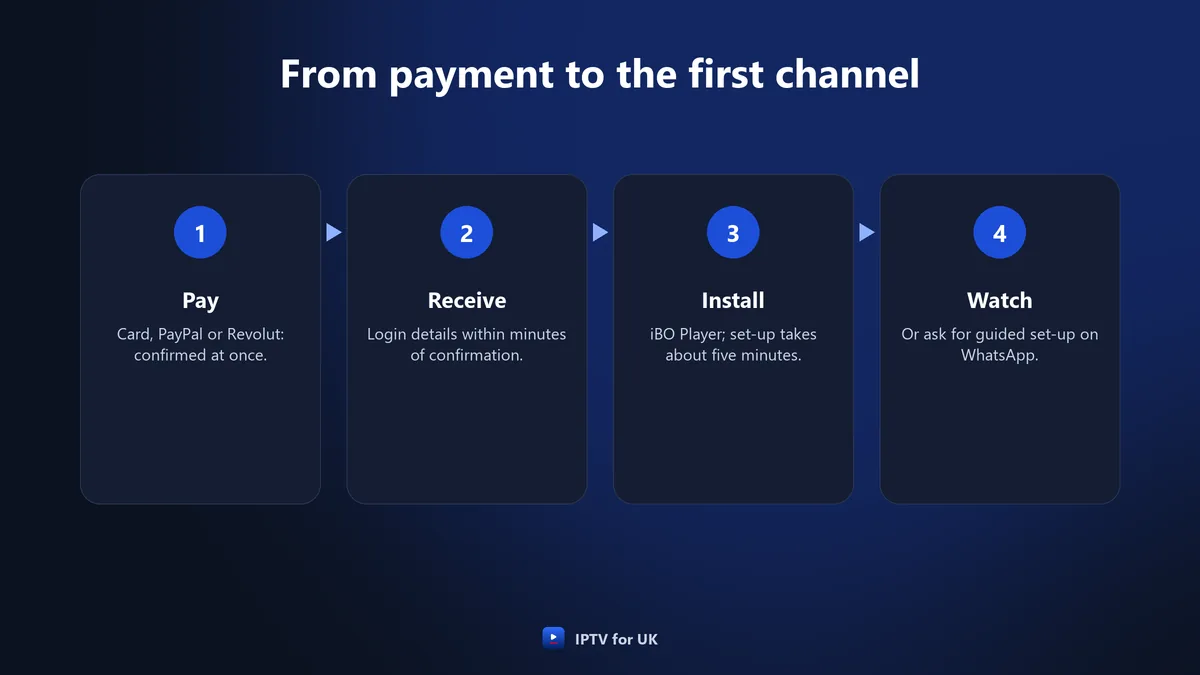
Set-up takes about five minutes, and guided set-up on WhatsApp takes under ten minutes. The player app is iBO Player, at no extra cost. The line is also supplied as an M3U link or an Xtream Codes login for other players such as IPTV Smarters or TiviMate.
Smart TVs need one extra message
On a Samsung or LG Smart TV, iBO Player shows a MAC address and a device key. You send both on WhatsApp and restart the app after confirmation. Knowing this before you pay means you are not left wondering why the app is waiting. The full Smart TV steps are in the installation guide.
Renewal and the end of a plan
Renewal is where a subscription can keep costing money without a new decision, so find out how it works before you start. The question is simple: does the plan end on its own, or does it carry on charging until you cancel?
- Automatic renewal means you have to remember to cancel, and know how.
- Direct Debit or a stored card lets a seller take the next payment without asking you.
- Manual renewal means nothing is taken unless you choose to pay again.
IPTV for UK has no automatic renewal and no Direct Debit. The subscription ends on its expiry date. If you renew, your login details stay the same, so nothing has to be set up again on your devices. The 7-day refund covers a new (first) subscription only, not renewals, so a renewal is a decision to make once you know the service.
With the best IPTV provider you choose the length each time you pay, so you can start on a 1-month plan and move to a longer one, which costs less per month, once you know the service.
Red flags when looking for the best IPTV provider
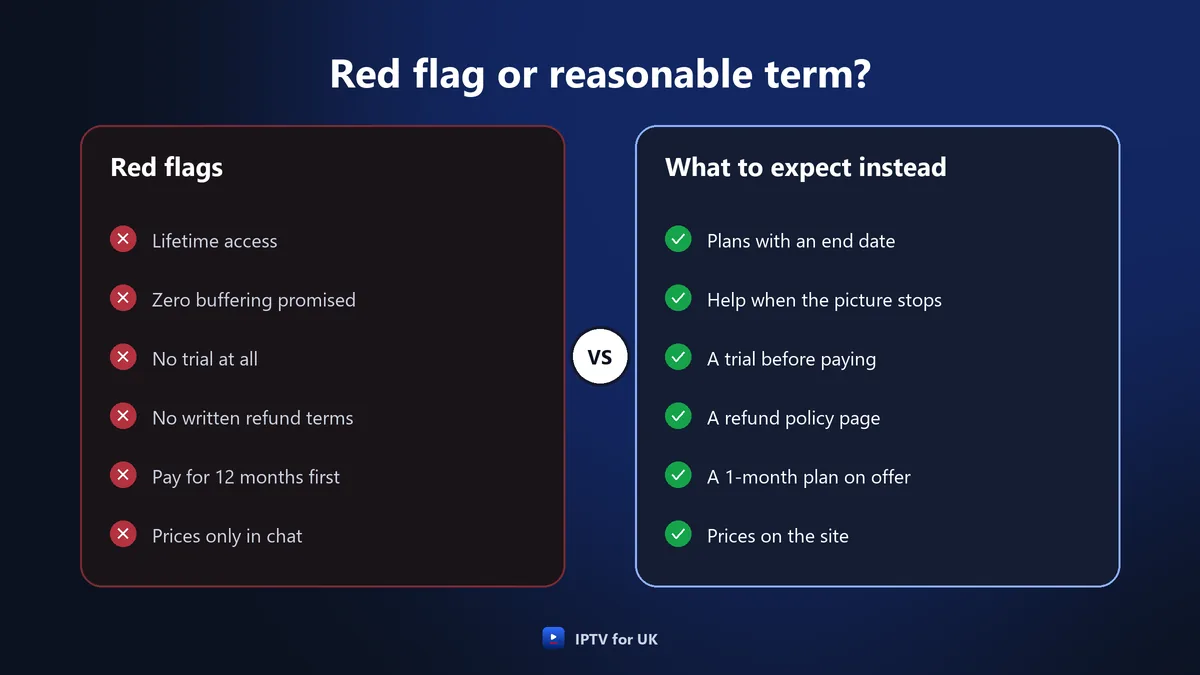
Red flags are promises no provider can keep and terms that leave you with nothing to point to. One flag on its own is a reason to ask more questions; several together are a reason to look elsewhere for the best IPTV provider.
- Lifetime deals: servers and support cost money every month, so a single payment for life is a promise that is hard to see being kept.
- Promises of zero buffering: no provider controls your Wi-Fi or your broadband, so nobody can promise a picture that never stops.
- No trial of any kind: you are asked to pay before you can see anything.
- No written refund terms, or refunds “at our discretion”.
- Pressure to pay for a long plan first: a discount that ends in an hour, or a 12-month plan offered as the only choice.
- Prices only in private messages, never on the site.
- Payment outside the published methods, or to a personal account.
- No terms page, no privacy policy and no email address.
These are general warning signs, not a verdict on any particular seller. Use them as a filter before you spend time on a trial.
Questions to ask before you choose the best IPTV provider
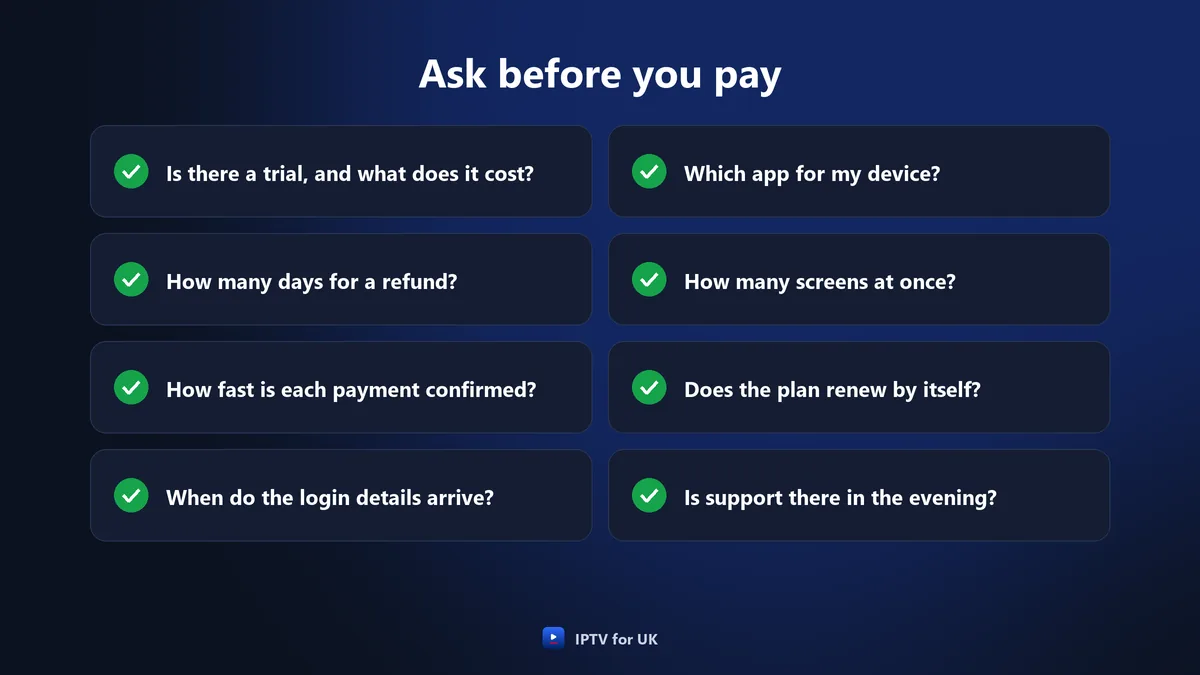
Send these questions to support before you pay. A provider that answers them clearly, in writing, has given you what you need to hold it to its word:
- Is there a trial, how long is it, and does it cost anything?
- Is a trial fee taken off the first subscription?
- How many days do I have to ask for a refund, and what is not covered?
- Which payment methods do you accept, and how quickly is each one confirmed?
- How soon after payment do I receive my login details?
- Which app do I use on my device, and will you help me set it up?
- How many screens can play at the same time on the plan I want?
- Does the plan renew by itself, and is there a Direct Debit?
- Do my login details change when I renew?
- How do I reach support in the evening, and is there an email address?
Keep the replies. A written answer in a chat is a record of what you were told before you paid, and it is the simplest way to test whether the best IPTV provider on paper is also the best IPTV provider in practice.
The best IPTV provider checks, answered by IPTV for UK
Here is each check from this guide with the answer IPTV for UK publishes. Every answer can be verified on this site, or by a message to support, before you pay anything.
| Check | IPTV for UK |
|---|---|
| Support you can test | In English on WhatsApp, 24 hours a day; email support@iptvforuk.com |
| Trial | Free 1-hour trial with no payment; 24-hour trial for £2.95, taken off the first subscription |
| Refund | 7 days on a new (first) subscription, after contacting support first |
| Price list | Published in pounds, from £14 for 1 month on 1 screen |
| Fees | No set-up fee, no activation fee, no equipment rental |
| Contract and renewal | No contract, no automatic renewal, no Direct Debit |
| Payment | Card, PayPal and Revolut confirmed immediately; bank transfer and crypto within 2 to 3 hours |
| Activation | Login details within minutes of the payment being confirmed |
| Written pages | Terms of service, privacy policy and refund policy |
Two checks are left to you: the picture on your own television and the reply to your own question. The 24-hour trial and a message on WhatsApp cover both, and they are the part of choosing the best IPTV provider that nobody else can do for you.
One payment for the whole period, no automatic renewal.
Features, plans, regions and watching abroad
This guide covers the business behind a service. The other questions have guides of their own:
- Features by household: which screens, devices and kinds of content suit your home, in the guide to the best IPTV service.
- Plan lengths, prices and ordering: how 1 to 24 months compare and how to order, in the guide to an IPTV subscription in the UK.
- Regions, nations and broadband: England, Scotland, Wales and Northern Ireland, and connections across the country, in the United Kingdom IPTV guide.
- British TV abroad: watching UK channels from another country, in the British IPTV guide.
How this guide was written
This guide was prepared for IPTV for UK with the help of AI writing tools. Its prices, trial terms, refund conditions, device steps and speed figures are the ones published on this site. If you spot something that looks out of date, tell us through the contact page.
Frequently asked questions
- How can I tell which is the best IPTV provider before paying?
- Judge the business before the channel list: send support a question and see how quickly and clearly it answers, take a trial, read the written refund policy and check the price list in pounds. IPTV for UK offers a free 1-hour trial, a 24-hour trial for £2.95 and a 7-day refund on a first subscription.
- What are the red flags when choosing an IPTV provider?
- Lifetime deals, promises of zero buffering, no trial, no written refund terms, prices only in private messages and pressure to pay for a long plan first. Each one leaves you less to check. IPTV for UK publishes its prices in pounds, offers two trials and sells plans from 1 month with no automatic renewal.
- Does IPTV for UK offer a refund?
- Yes. IPTV for UK offers a 7-day refund on every new (first) subscription, after you contact support so a technician can try to fix the problem. Renewals, the 24-hour trial, requests after 7 days and problems caused by your own connection or a third-party app are not covered. Requests are handled within 24 to 48 business hours.
- Which payment methods does IPTV for UK accept?
- IPTV for UK takes payment in pounds by Visa or Mastercard debit or credit card, PayPal and Revolut, all confirmed immediately, and by bank transfer or crypto (USDT, BTC), confirmed within 2 to 3 hours. Apple Pay, Google Pay and Wise are accepted too. Login details follow within minutes of confirmation.
- Does an IPTV for UK subscription renew automatically?
- No. IPTV for UK has no automatic renewal, no Direct Debit and no contract. Each plan is one payment for the whole period and ends on its expiry date. If you choose to renew, your login details stay the same, so your devices do not need to be set up again.
- How do I contact IPTV for UK support before buying?
- IPTV for UK support is in English on WhatsApp, 24 hours a day, every day, and by email at support@iptvforuk.com. You can ask about trials, payment, devices or renewal before paying anything, and judge the reply before you decide.