IPTV Subscription UK: How Plans, Trials, Payment and Renewal Work
An IPTV subscription UK viewers take out with IPTV for UK is one payment for a fixed period and a set number of screens. This guide follows a plan from the first trial to its expiry date and the renewal after it.
An IPTV subscription UK households take out with IPTV for UK is a single payment in pounds for 1, 3, 6, 12 or 24 months on 1, 2 or 3 screens, with no contract and no automatic renewal. You order on WhatsApp, pay, receive your login details within minutes of the payment being confirmed, and the subscription ends on its expiry date unless you renew.
This guide covers the practical side from start to finish: how long a plan runs, what the number of screens means, the full price list with the cost per month, the two trials, ordering step by step, payment and confirmation times, activation, expiry, renewal, the 7-day refund and moving to more screens. It also holds the TV Licence and legal points that the other guides on this site refer to.
Choosing features for your household and judging the company you buy from are separate questions. They are covered in the guide to the best IPTV service and the guide to the best IPTV provider.
Support in English, 24 hours a day.
1 to 24 months, 1 to 3 screens, one payment.
IPTV subscription UK: how it works from start to finish
An IPTV subscription with IPTV for UK follows the same path for everyone: you try, you choose, you pay once, you watch until the expiry date, and then you decide whether to renew. No further payment is taken unless you choose to renew, because there is no Direct Debit and no automatic renewal.
The table sets out the stages in order and the part of this guide where each one is explained.
| Stage | What happens | Where it is explained |
|---|---|---|
| Try | A free 1-hour trial, or a 24-hour trial for £2.95 | The two trials |
| Choose | A length from 1 to 24 months and 1, 2 or 3 screens | Plan lengths, screens and prices |
| Order | Tell IPTV for UK on WhatsApp which plan you want | Ordering on WhatsApp |
| Pay | Card, PayPal, Revolut, bank transfer, crypto and more | Payment methods |
| Activate | Login details within minutes of the confirmation | Activation and login details |
| Watch | Full access until the expiry date | What every plan includes |
| Renew or stop | Pay again with the same login, or let the plan end | Expiry and renewal |
An IPTV subscription UK customers hold with us is a line with its own login details, valid for the period paid for and for the number of screens chosen. The rest of this guide takes each stage in turn.
Plan lengths: from 1 to 24 months
IPTV for UK sells five lengths: 1 month, 3 months, 6 months, 12 months and 24 months. Every length gives the same service; only the period and the price change. The longer the period, the lower the cost per month.
- 1 month: the shortest period, £14 on one screen. Useful after a trial if you want a longer look before paying for more.
- 3 months: a middle step that brings the cost per month down to £8 on one screen.
- 6 months: £34 in one payment, or £5.67 a month on one screen.
- 12 months: £54 in one payment, or £4.50 a month on one screen, and a full year before you think about renewal.
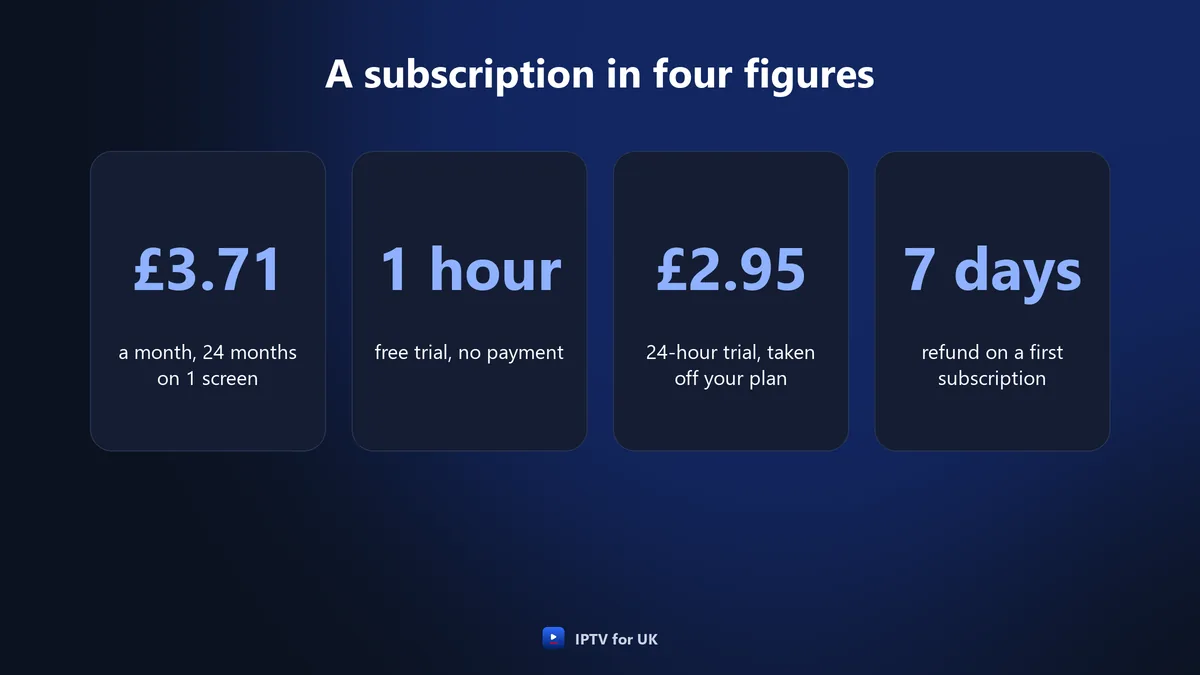
- 24 months: the lowest cost per month, £3.71 on one screen.
A longer plan is one larger payment made at the start. Because there is no contract and no automatic renewal, the choice is between paying more often and paying less per month.
How to pick a length
If IPTV is new to you, start with a trial and then a short plan, and choose a longer one when you renew. If you already know that the service plays well on your devices and on your broadband, the longer plans cost less per month. Think also about the refund: it covers a first subscription for 7 days, whatever its length, so the first week is the time to check that everything works.
Screens: 1, 2 or 3 playing at the same time
The number of screens is the number of devices that can play at the same moment. IPTV for UK plans come with 1, 2 or 3 screens. A 1-screen plan can be installed on several devices, such as the living-room TV, a Firestick in the bedroom and a phone, but only one of them plays at a time.
So the question to ask is not how many devices you own but how many will play together. If two people at home want to watch different things at the same time, you need 2 screens; three at once needs 3 screens.
| Plan | Playing at the same time | Suits |
|---|---|---|
| 1 screen | One device | One viewer, or a home that watches together |
| 2 screens | Two devices | Two people watching different things |
| 3 screens | Three devices | Three people watching at once |
Broadband for each screen
Each screen playing at the same time needs its own share of broadband: 10 Mbps for HD, 15 Mbps for Full HD and 25 Mbps for 4K. Add the figure for each screen that will play at once and compare the total with the speed your connection gives you at home. How broadband and viewing differ across England, Scotland, Wales and Northern Ireland is covered in the guide to IPTV across the United Kingdom.
IPTV subscription UK prices for every plan
Every price is one payment in pounds sterling for the whole period. There is no set-up fee, no activation fee and no equipment rental, so the figure in the table is what you pay for the plan.
| Length | 1 screen | 2 screens | 3 screens |
|---|---|---|---|
| 1 month | £14 | £24 | £29 |
| 3 months | £24 | £44 | £64 |
| 6 months | £34 | £59 | £84 |
| 12 months | £54 | £89 | £119 |
| 24 months | £89 | £159 | £219 |
The cost per month
Divided by the number of months, the same prices give the cost per month below. The lowest is £3.71 a month, on the 24-month plan with 1 screen, which is less than £4 a month.
| Length | 1 screen, per month | 2 screens, per month | 3 screens, per month |
|---|---|---|---|
| 1 month | £14 | £24 | £29 |
| 3 months | £8 | £14.67 | £21.33 |
| 6 months | £5.67 | £9.83 | £14 |
| 12 months | £4.50 | £7.42 | £9.92 |
| 24 months | £3.71 | £6.63 | £9.13 |
The per-month figures are there to compare plans. You do not pay monthly: you pay the full price of the plan once, at the start, and nothing more until you decide to renew. The same prices are on the price list on the home page.
One payment for the whole period, no Direct Debit.
What every plan includes
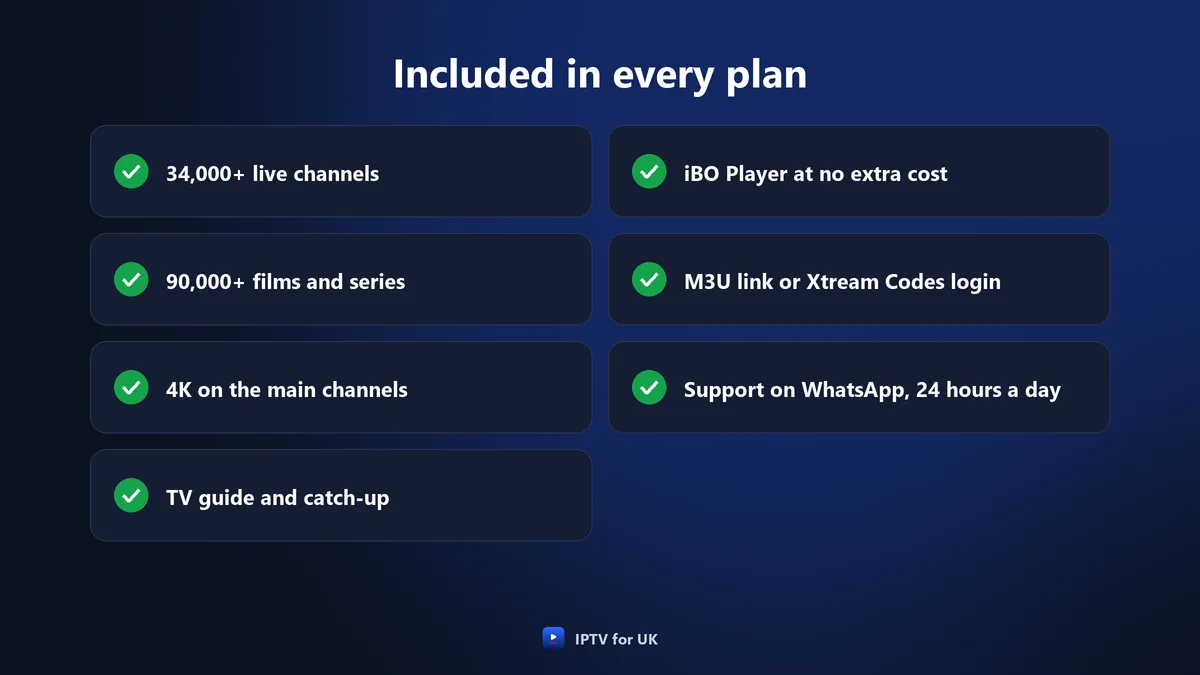
Every IPTV subscription UK plan from IPTV for UK gets the same service, whatever its length or number of screens. The length sets how long you can watch and the screens set how many devices play at once; the content does not change.
- More than 34,000 live channels, grouped by country and by theme, with UK channels in their own group, including regional variations for England, Scotland, Wales and Northern Ireland.
- More than 90,000 films and series on demand, including complete box sets, most with English audio or English subtitles, with new titles added every day.
- 4K on the main sport, film and entertainment channels, with Full HD, HD and SD versions.
- TV guide (EPG) and catch-up on live channels, so you can pause live TV and rewind.
- iBO Player at no extra cost, or an M3U link or an Xtream Codes login for other players such as IPTV Smarters or TiviMate.
- Support in English on WhatsApp, 24 hours a day, every day, and by email at support@iptvforuk.com.
- No extra fees: no set-up fee, no activation fee and no equipment rental.
The channel groups also cover sport, from the Premier League, the FA Cup and the Six Nations to Formula 1, Test cricket, darts and snooker, and pay-per-view events have their own category. Other countries have their own groups too, among them Ireland, the United States, India, Pakistan and Poland. The overview is in the channels section of the home page.
Checks before you subscribe
Three checks before you pay save trouble later: your devices, your connection and where you will watch.
- Devices: the service runs on Samsung (Tizen) and LG (webOS) Smart TVs, Android TV, Google TV, Android boxes, MAG boxes, Amazon Firestick (Fire TV Stick), Apple TV, Nvidia Shield, Xbox, iPhone, iPad, Android phones and tablets, Windows, Mac and a web player.
- Connection: it works on full fibre, part-fibre, cable, 4G and 5G as long as the connection is steady. Wi-Fi fades through thick brick walls and across floors, so an Ethernet cable, a powerline adapter or a mesh point near the TV gives a steadier picture.
- Where you watch: the service works with a VPN and works abroad wherever there is an internet connection.
Watching from outside the UK raises its own questions, answered in the guide to watching British TV abroad.
Free 1-hour trial and 24-hour trial
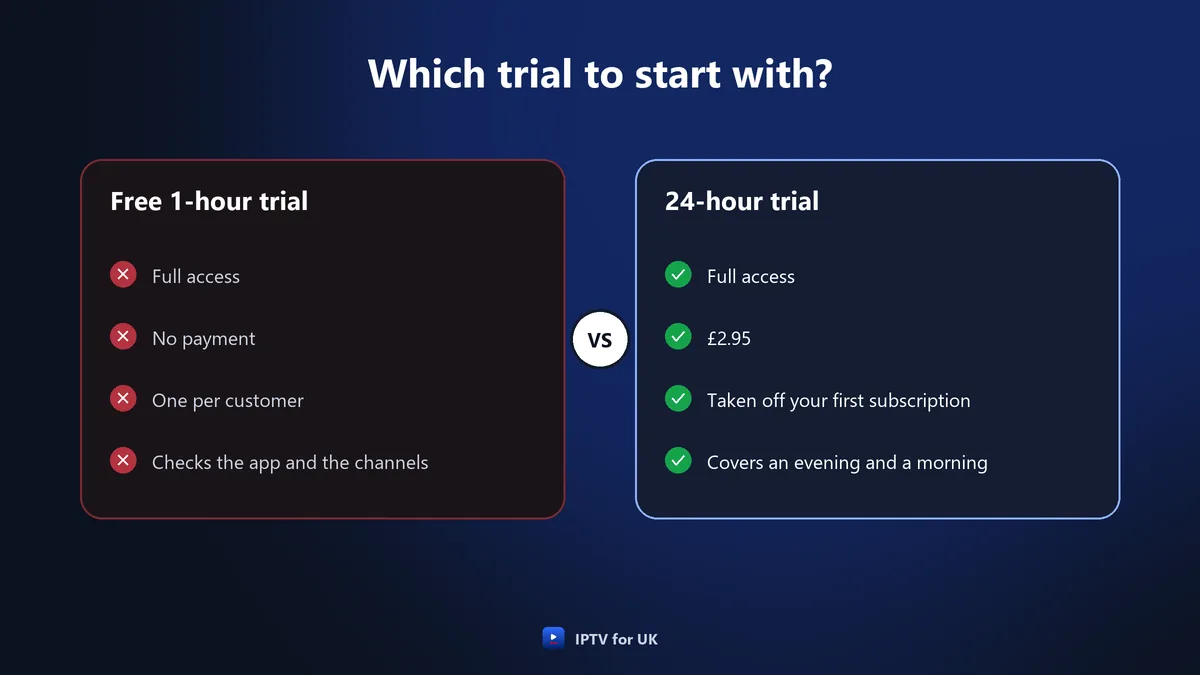
You can try the service in two ways before you pay for an IPTV subscription UK plan. The free trial lasts 1 hour, gives full access, needs no payment and is limited to one per customer. The 24-hour trial costs £2.95, also gives full access, and the £2.95 is taken off your first subscription.
How the £2.95 is credited
The £2.95 you pay for the 24-hour trial is not lost if you go on to subscribe: it is taken off the price of your first subscription. Two points follow from the conditions. The 24-hour trial itself is not covered by the 7-day refund, and the credit applies to the first subscription, not to a later renewal.
What to check during a trial
- The app installs and opens on the device you will use most.
- The UK channels you watch are in their group, with the regional version you want.
- The TV guide shows programme titles on those channels.
- The picture holds in the evening, when you usually watch.
- Support answers a question on WhatsApp.
The free hour shows whether the app works on your device; the 24-hour trial covers an evening as well. Both are described on the free trial page.
£2.95, taken off your first subscription.
How to order an IPTV subscription UK plan on WhatsApp
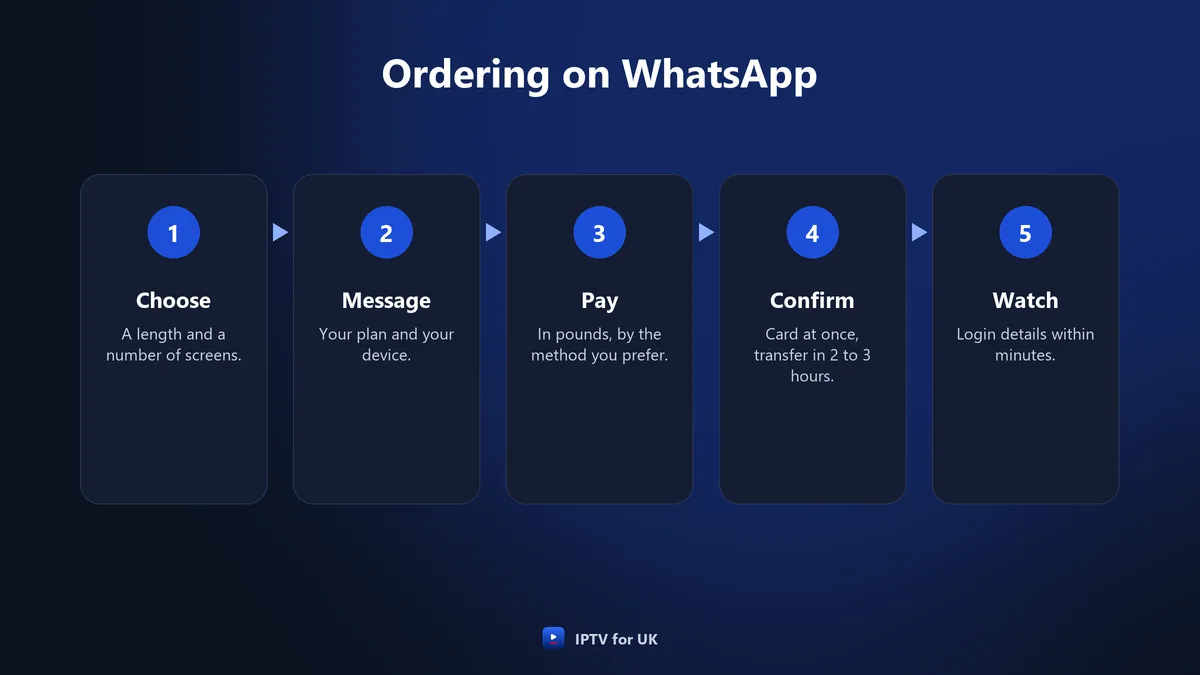
Ordering an IPTV subscription UK plan takes place in a WhatsApp chat with IPTV for UK, in English, at any hour of the day. You choose the plan, pay, and receive your login details within minutes of the payment being confirmed.
- Choose the length and the screens on the price list, for example 12 months on 2 screens.
- Open the WhatsApp chat and say which plan you want and which device you will watch on.
- Choose a payment method: card, PayPal, Revolut, bank transfer, crypto, Apple Pay, Google Pay or Wise.
- Pay in pounds. If you took the 24-hour trial, the £2.95 is taken off the price.
- Wait for the confirmation: immediately for card, PayPal and Revolut, within 2 to 3 hours for bank transfer and crypto.
- Receive your login details within minutes of the confirmation, then install the app.
Before you pay
Check three details in the chat before paying: the length, the number of screens and the price from the table. Mention your device too: on a Samsung or LG Smart TV, the app shows a MAC address and a device key that you send in the same chat.
Payment methods and confirmation times
You pay for an IPTV subscription UK plan in pounds, by the method that suits you. The method decides how soon the payment is confirmed, and the login details follow within minutes of the confirmation.
| Payment method | Confirmation |
|---|---|
| Debit or credit card (Visa, Mastercard) | Immediately |
| PayPal | Immediately |
| Revolut | Immediately |
| Bank transfer | Within 2 to 3 hours |
| Crypto (USDT, BTC) | Within 2 to 3 hours |
| Apple Pay, Google Pay, Wise | Support confirms the timing |
If you want to start watching this evening, a card, PayPal or Revolut payment is the quickest route. A bank transfer or a crypto payment works just as well, with a wait of 2 to 3 hours before the confirmation. For Apple Pay, Google Pay or Wise, ask in the chat and support will tell you the timing.
Whatever the method, there is no Direct Debit and no automatic renewal. Each payment covers one plan, and nothing more is taken afterwards unless you choose to renew.
Activation and login details
Once the payment for your IPTV subscription UK plan is confirmed, IPTV for UK sends your login details within minutes, and there is no activation fee. The details work with iBO Player, which comes at no extra cost. The line is also supplied as an M3U link or an Xtream Codes login for other players such as IPTV Smarters or TiviMate.
| Device | How the line is set up |
|---|---|
| Firestick, Android TV | Install the Downloader app, allow apps from unknown sources, enter code 481220, install iBO Player |
| Samsung or LG Smart TV | Install iBO Player from the TV’s app store, send the MAC address and the device key on WhatsApp, restart the app after confirmation |
| iPhone, iPad, Android phones and tablets | Install iBO Player from Google Play or the App Store, then enter the login details |
| Other players | Enter the M3U link or the Xtream Codes login |
Set-up takes about five minutes, and guided set-up on WhatsApp takes under ten minutes. On a Firestick, installing iBO Player takes about two minutes. The installation guide has the full steps for Firestick, Smart TVs, Android and iPhone or iPad.
Keep the message with your login details somewhere you can find it. You will need it if you install the app on another device, and the same details stay in place when you renew.
IPTV subscription UK with no contract and no automatic renewal
An IPTV subscription UK customers buy from IPTV for UK is one payment for a fixed period, with no contract behind it. Here is what that means in practice:
- One payment: the price of the plan, once, at the start.
- No contract: no notice period, and nothing to cancel when you want to stop.
- No automatic renewal: the plan does not roll over into a new period.
- No Direct Debit: no regular payment leaves your account.
- No set-up fee, no activation fee, no equipment rental: the price in the table is the price of the plan.
The end of a plan needs no action from you. If you do nothing, the subscription ends on its expiry date and no further payment is taken.
The full conditions of use are in the terms of service.
Expiry and renewal with the same login
An IPTV subscription UK plan from IPTV for UK ends on its expiry date. To carry on watching after that, you renew, and on renewal the login details stay the same.
Because the login stays the same, renewal does not mean setting up your devices again with new details. The app on the TV, the Firestick or the phone keeps the details it already has.
How to renew
- Pick the length and the screens for the next period on the price list.
- Message IPTV for UK on WhatsApp and pay by one of the accepted methods.
- Keep watching with the same login details once the payment is confirmed.
Renewals and the refund
Renewals are not covered by the 7-day refund, which applies to a first subscription only. If something is not right, raise it with support on WhatsApp while your current plan is running, before you pay for the next period.
Your login details stay the same.
IPTV subscription UK refund: the 7-day conditions
Every new (first) IPTV subscription UK order comes with a 7-day refund. The condition is that you contact support first, so that a technician can try to fix the problem. Refund requests are handled within 24 to 48 business hours.
| Situation | Covered by the 7-day refund |
|---|---|
| First subscription, support contacted first, within 7 days | Yes |
| Renewal | No |
| 24-hour trial | No |
| Request made after 7 days | No |
| Problem caused by your own connection | No |
| Problem caused by a third-party app | No |
The last two lines are why the trials are worth using. A trial shows whether your broadband and your device play the service well before you pay for a plan. If you prefer a third-party player to iBO Player, test it during the trial as well.
The full wording is in the refund policy.
A technician can try to fix the problem.
Moving to more screens
If your household starts watching on more devices at once, the answer is an IPTV subscription UK plan with more screens. A 1-screen plan already lets you install the app on several devices; you need 2 or 3 screens only when two or three of them must play at the same time.
The 2-screen and 3-screen plans come in the same five lengths as the 1-screen plan. On the 12-month plans, for example, the cost per month is £4.50 for 1 screen, £7.42 for 2 screens and £9.92 for 3 screens.
The natural moment to change the number of screens is renewal, when you choose the next plan anyway. If you need more screens before your plan ends, ask support on WhatsApp what can be done with your current line.
How many screens a household needs, and which devices to put them on, is covered in the guide to the best IPTV service.
IPTV subscription UK: TV Licence and legal points
A TV Licence is required in the UK to watch or record programmes as they are shown live on any channel or service, on any device. A subscription does not include one and does not replace one.
IPTV is a delivery technology; whether a service may carry a channel depends on the rights the provider holds. IPTV for UK is an independent service, makes no legal claim, and a guide is not legal advice.
How this guide was written
This guide was prepared for IPTV for UK with the help of AI writing tools. Its prices, trial terms, refund conditions, device steps and speed figures are the ones published on this site. If you spot something that looks out of date, tell us through the contact page.
Frequently asked questions
- How much is an IPTV subscription UK plan with IPTV for UK?
- An IPTV for UK subscription on 1 screen costs £14 for 1 month, £24 for 3 months, £34 for 6 months, £54 for 12 months and £89 for 24 months. Plans for 2 and 3 screens cost more. Each price is one payment in pounds for the whole period, from £3.71 a month.
- Does an IPTV subscription UK plan renew automatically?
- No. An IPTV for UK subscription is one payment with no contract, no Direct Debit and no automatic renewal, and it ends on its expiry date. If you choose to renew, the login details stay the same.
- How is the £2.95 of the 24-hour trial credited?
- The IPTV for UK 24-hour trial costs £2.95 and gives full access, and the £2.95 is taken off the first subscription. There is also a free 1-hour trial with full access, one per customer, with no payment. The 24-hour trial is not covered by the 7-day refund.
- How quickly are the login details sent after payment?
- IPTV for UK sends login details within minutes of the payment being confirmed. Card (Visa, Mastercard), PayPal and Revolut payments are confirmed immediately; bank transfer and crypto (USDT, BTC) within 2 to 3 hours. For Apple Pay, Google Pay and Wise, support confirms the timing.
- Can I get a refund on an IPTV subscription?
- IPTV for UK gives a 7-day refund on every new (first) subscription, after you contact support so a technician can try to fix the problem. Renewals, the 24-hour trial, requests after 7 days and problems caused by your own connection or a third-party app are not covered.
- Does an IPTV subscription include a TV Licence?
- No. A TV Licence is required in the UK to watch or record programmes as they are shown live on any channel or service, on any device. An IPTV for UK subscription does not include one and does not replace one.